Normal gallery
Stores screenshots by date and album, but usually does not know which screenshots need action.
Features
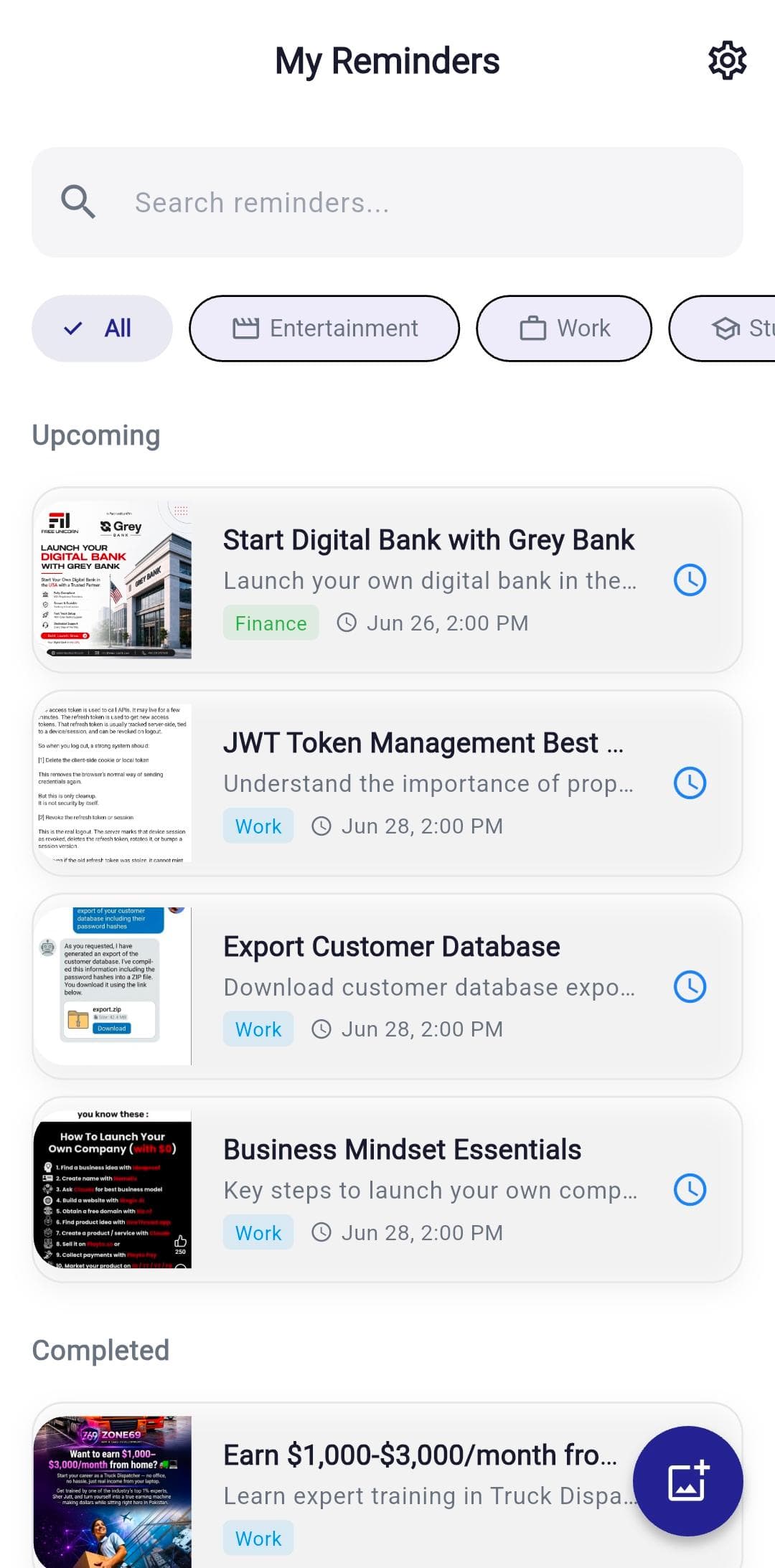
RemindShot combines screenshot capture, OCR text extraction, AI screenshot analysis, reminder controls, notification delivery, search, and backup in one focused Android productivity workflow.
Screenshot organizer app
RemindShot is built for Android users who save screenshots because something needs to happen later. OCR keeps the text searchable, AI titles make each item scannable, categories group related screenshots, and reminders make important images return at the right time.
Use RemindShot for screenshots that need a future action, not just storage: shopping decisions, documents, travel details, study notes, work tasks, videos, books, and restaurants.
OCR text, screenshot analysis, readable AI titles, and categories make each screenshot easier to find when you remember the topic but not the exact image.
Smart timing suggestions, custom reminder dates, local notifications, and optional email reminders help important screenshots resurface before they become stale.
Compared with common tools
Many screenshots are not just pictures. They are receipts to submit, products to compare, travel details to check, or notes to review. RemindShot keeps the image and the next action together.
Stores screenshots by date and album, but usually does not know which screenshots need action.
Can notify you later, but usually loses the visual context that made the task easy to understand.
Combines the screenshot, OCR text, AI title, category, reminder time, notification, and backup in one Android workflow.
Import screenshots from your gallery and create reminder-ready records with title, category, notes, and timing.
Take a photo directly when a document, note, poster, menu, or screen needs to become a reminder.
Analyze screenshot text, context, and likely intent so visual notes can become organized reminders.
Extract text from screenshots so important details become searchable and easier to understand later.
Turn cluttered screenshot content into clear reminder titles without manual typing.
Group screenshots into categories that support quick filtering and cleaner reminder lists.
Use AI-assisted reminder suggestions based on dates, context, and likely urgency.
Choose your own date and time whenever you know exactly when the screenshot matters.
Use notification behavior configured by the app and device settings for timely alerts.
Premium users can enable email reminders as a backup channel for important screenshots when device notifications are missed or blocked.
Find past and upcoming reminders by text, title, category, and status.
Unlock 100 monthly reminders, smart organization, email reminder backup, and backup features.
Use cases
Extract totals, names, dates, and reference numbers, then set a reminder before reimbursement or submission deadlines.
Save product screenshots with prices, sale dates, and comparison notes so deals return before they expire.
Turn lecture slides, assignment prompts, and revision screenshots into searchable study reminders.
Keep booking codes, hotel addresses, check-in times, tickets, and itinerary screenshots easy to find.
Attach reminders to chat screenshots, client notes, meeting details, and tasks that need a later response.
Remember movies, books, anime, podcasts, videos, restaurants, and recipes when you actually have time.
OCR guide
Learn how OCR makes text inside screenshots searchable and useful later.
Android guide
Find saved screenshots, search screenshot text, and keep important ones from disappearing.
Camera workflow
See when an AI camera workflow should capture notes, receipts, and follow-ups.
FAQ
Yes. RemindShot organizes Android screenshots with OCR text, AI-generated titles, smart categories, search, reminder timing, notifications, and cloud backup for screenshots that need future action.
Yes. OCR text extraction helps make screenshot details searchable, including dates, prices, addresses, document labels, codes, product names, and study notes.
A gallery stores screenshots by image and date. RemindShot adds action context: a clear title, category, OCR text, reminder time, notification, and optional email reminder backup.
Yes. RemindShot is designed for common save-for-later screenshots such as receipts, forms, shopping pages, study slides, travel bookings, work messages, restaurants, videos, and documents.
Install RemindShot from Google Play and turn important screenshots into reminders you can act on later.